If you noticed many Avatars or Icons on Twitter profiles have green shading, This is because many are supporting the revolution in IRAN via social networks like Twitter, Facebook and alike.
Why do you need to change your Twitter avatar to have a green overlay? Well, that is because green is the official color of the democracy movement in IRAN. So to show your support if you like here is the simple steps in making your Avatar to have a green overlay like the one below.


1) First Install Paint.Net, a free graphic editor and 100mb in size so It won’t take a lot of time installing it.

2) Second find your profile picture, then right click hover your mouse to Open With then point to Paint.Net


3) Once inside Paint.Net, Click the Layer from the menu and select Add New Layer

4) When a New Layer is created it is automatically selected as shown below. If you cannot find the layer window just click Window from the Menu, then click Layers. You may also press F7 as a shortcut.


5) While the New Layer is selected, Press F8 to show the Colors Palette like the one shown below.


6) From the above Colors Pallete window, Left mouse click any green color of your choice.


7) Then click the More >> button as shown in the first Image above. The second Image is what you should see when More>> button is clicked.


8) Now Let’s change Transparency – Alpha to a value like say 150.


9) Click to select the Paint Bucket from the Tools Bar. Press F5 if the toolbar is not visible.
10) All you have to do is Click any portion of your profile picture and the Color Green will be automatically overlaid over your photo.
Warning: Don’t just click save as it will overwrite your original picture.
11) The last step is select File from the menu, Save as, change the filename and select the format you want for your new green profile photo. (I use JPG for my photo)

12) That it’s it. Start updating your Social Network’s Avatars/Icons profile picture. Let’s support the movement to a free democracy in IRAN.
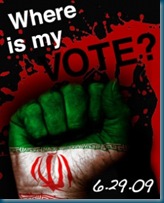
On Monday June 29th, Bloggers from around the globe will Unite for a Free Iran. Please JOIN in and use your blog to educate your readers and spread the word about how we can help Free Iran.
Tweeting about this event use hash tag #FreeIran
What can you blog about? How can you help?
* write a post about the lack of basic human rights and freedoms
* let the people in Iran know that we are supporting them and their fight for freedom and for their votes to count
* do what we can to help highlight the disappearance and inhuman treatment of Iranian citizens
* arrange/promote Blogger & Twitter Meetups in your town on Monday
* write a post offering moral support to the people of Iran
* call on the Iranian government to stop arresting peaceful protesters and opposition supporters, and to free those it has already detained
* blog to get the people of Iran free and open Internet access
* blog for a fair and just election
* write a post asking your readers to email the United Nations Human Rights Commission to hold an Emergency Meeting
* blog to free the press and remove the controls that have been placed on media and bloggers
* call for an end to the violence in Iran
* blog to ask your readers to turn all avatars green on all any social websites they belong to - the color of Mir Hossein Mousavi's campaign
* blog to ask your readers to turn all avatars black to mourn those killed in the protests there organizations who fight for Human Rights
* add an Action Badge to your blog before June 29th getting other bloggers to join in.
Please post any other ideas you have for how bloggers can use our blogs to make a difference on Monday June 29th.
*Tweeting use Hash Tag #FreeIran


